Two-Factor Authentication Explained for Beginners
Two-Factor Authentication Explained for Beginners
Two-factor authentication adds an extra layer of security to your accounts. Even if someone steals your password, they may still need a second verification step before accessing your email, banking, social media, or personal accounts.
This guide explains two-factor authentication in simple terms, how 2FA works, the safest methods to use, common mistakes to avoid, and why enabling 2FA is one of the best ways to protect your accounts online.
Quick Answer: What Is Two-Factor Authentication?
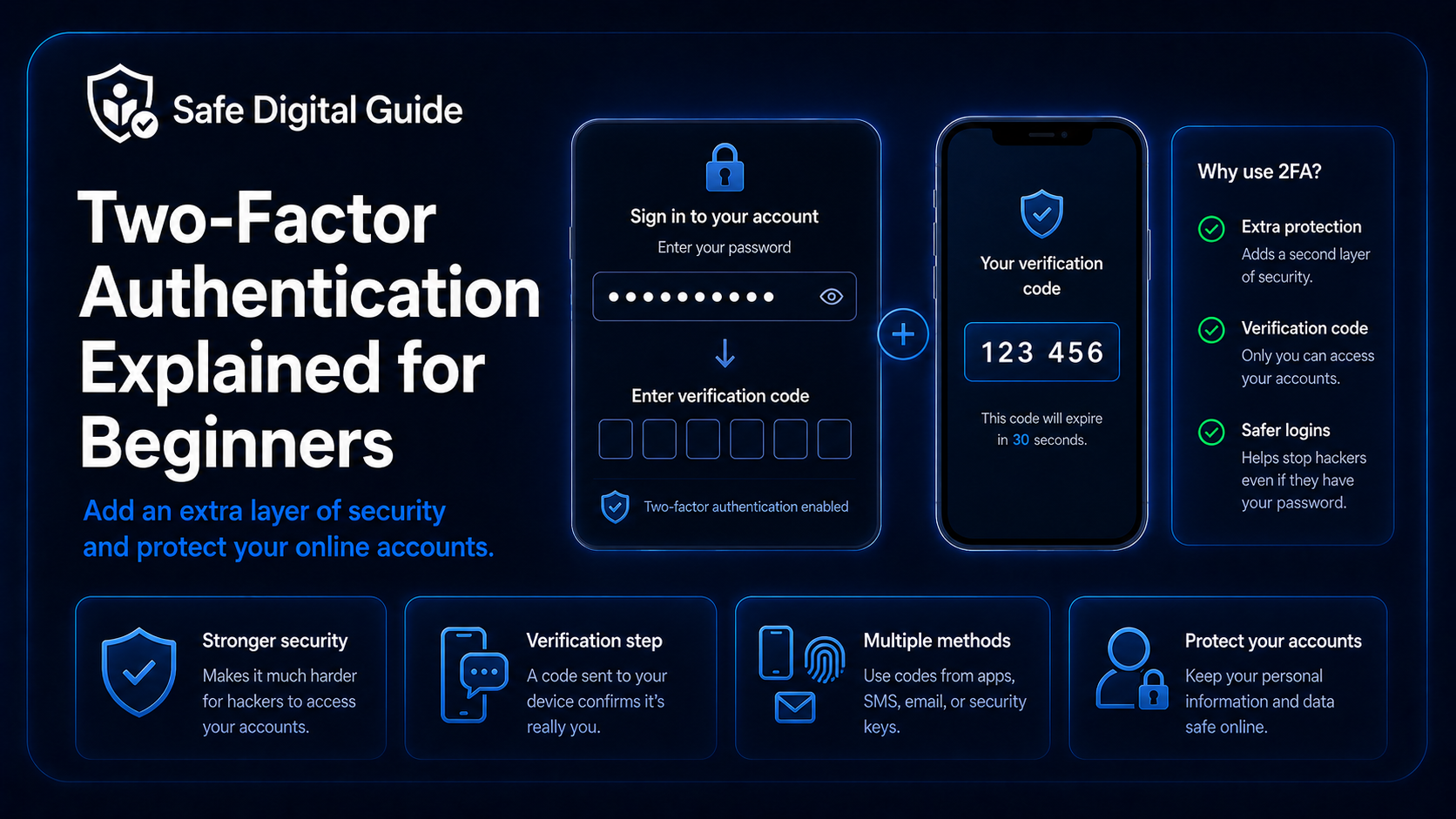
Two-factor authentication, also called 2FA, is a security feature that requires two forms of verification before you can log into an account. Usually, this means your password plus a second step like a code, app confirmation, or security key.
Simple explanation
A password is something you know. Two-factor authentication adds something you have, like your phone, authentication app, or security key.
If your email or account was already compromised, read What to Do If Your Email Is Hacked.
Why Two-Factor Authentication Matters
Passwords alone are not always enough. Passwords can be stolen through phishing, data breaches, fake websites, malware, or password reuse. Two-factor authentication helps reduce the risk of unauthorized access.
How Two-Factor Authentication Works
Two-factor authentication adds a second verification step after entering your password.
Enter your password
You first enter your normal account password.
Receive a second verification request
The account asks for a code, app approval, or hardware key.
Complete the second step
You confirm the login using your phone, authentication app, or security key.
Access the account
If both checks are correct, the login is approved.
Without the second verification step, an attacker may not be able to access the account even if they know the password.
Common Types of Two-Factor Authentication
Not all 2FA methods are equally strong. Some are more secure than others.
More secure options
- Authenticator apps.
- Security keys.
- Biometric verification combined with secure devices.
- Trusted device approval systems.
- Hardware-based authentication methods.
Less secure but still useful
- SMS verification codes.
- Email verification codes.
- Basic one-time login codes.
- Phone call verification.
- Simple device confirmations.
Best beginner option
For most people, an authenticator app is one of the best balances between security and ease of use.
Authenticator Apps Explained
Authenticator apps generate temporary login codes directly on your phone. These codes usually refresh every few seconds and work without receiving text messages.
Are SMS Verification Codes Safe?
SMS verification codes are better than having no two-factor authentication at all, but they are usually considered less secure than authenticator apps or security keys.
If someone asks for your verification code by text, email, phone call, or social media, treat it as suspicious.
What Accounts Should Use 2FA?
You should enable two-factor authentication on your most important accounts first.
How to Enable Two-Factor Authentication
Most services place 2FA settings inside account security or login settings.
Open account security settings
Look for sections called Security, Login, Verification, or Privacy.
Choose a 2FA method
Select an authenticator app, SMS code, security key, or another supported method.
Follow setup instructions
Scan the QR code or connect your security method as instructed.
Save backup codes
Keep recovery codes in a safe place in case you lose access to your phone or device.
Backup codes are important because they may help you recover your account if your device is lost or damaged.
Common Two-Factor Authentication Mistakes
Two-factor authentication is useful, but mistakes can reduce its effectiveness.
Risky mistakes
- Sharing login codes.
- Ignoring suspicious login alerts.
- Not saving backup codes.
- Leaving recovery settings outdated.
- Using the same password everywhere.
Safer habits
- Use unique passwords.
- Enable 2FA on important accounts.
- Review devices and sessions regularly.
- Keep recovery options updated.
- Store backup codes safely.
Can Two-Factor Authentication Stop Phishing?
Two-factor authentication can reduce phishing damage, but it is not perfect protection against every attack.
Important reminder
Some phishing websites may try to steal both your password and your verification code at the same time. Always check websites carefully before logging in.
Two-factor authentication works best when combined with strong passwords, safe browsing habits, updated devices, and phishing awareness.
If you entered login details on a fake website, read Entered My Password on a Fake Website?.
What Happens If You Lose Your Phone?
Losing access to your phone can make account recovery harder if you use 2FA. That is why backup methods are important.
Related Guides
These guides can help you improve account security:
Helpful Official Resources
For more guidance, review account security advice from CISA, account protection guidance from Google Account Help, and online safety advice from NCSC.
Frequently Asked Questions
What is two-factor authentication?
Two-factor authentication is a security feature that requires two forms of verification before logging into an account, usually your password plus another confirmation method.
Is two-factor authentication important?
Yes. Two-factor authentication helps protect accounts even if your password is stolen through phishing, leaks, or password reuse.
What is the safest type of 2FA?
Security keys and authenticator apps are generally considered safer than SMS verification codes.
Should I use SMS verification codes?
SMS verification is usually better than having no 2FA at all, but authenticator apps are generally considered more secure.
Can scammers bypass two-factor authentication?
Some phishing scams try to steal verification codes or trick users into approving login attempts. Always check websites carefully and never share authentication codes.
What happens if I lose my 2FA device?
Recovery may depend on your backup codes, trusted devices, recovery email, or account recovery process. That is why saving backup methods is important.
Understanding two-factor authentication can help protect your accounts, passwords, personal data, and online identity from unauthorized access.
Final Safety Note
Two-factor authentication is one of the most effective account protection features available to everyday users. It adds another barrier between attackers and your accounts.
The safest habit is simple: use unique passwords, enable 2FA on important accounts, and never share verification codes with anyone.