How to Tell If a Website Is Fake: 10 Checks Before You Trust It
How to Tell If a Website Is Fake: 10 Warning Signs
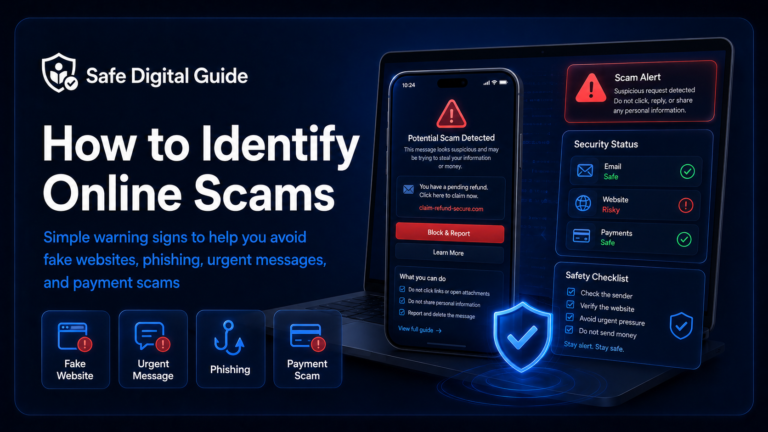
Learning how to tell if a website is fake can help you avoid scam stores, fake login pages, phishing links, unsafe payment pages, and websites designed to steal your personal information.
Fake websites can look professional, but they usually leave warning signs. This guide shows you what to check before you trust a website, enter your password, use your card, or download anything.
Quick Answer: How to Tell If a Website Is Fake
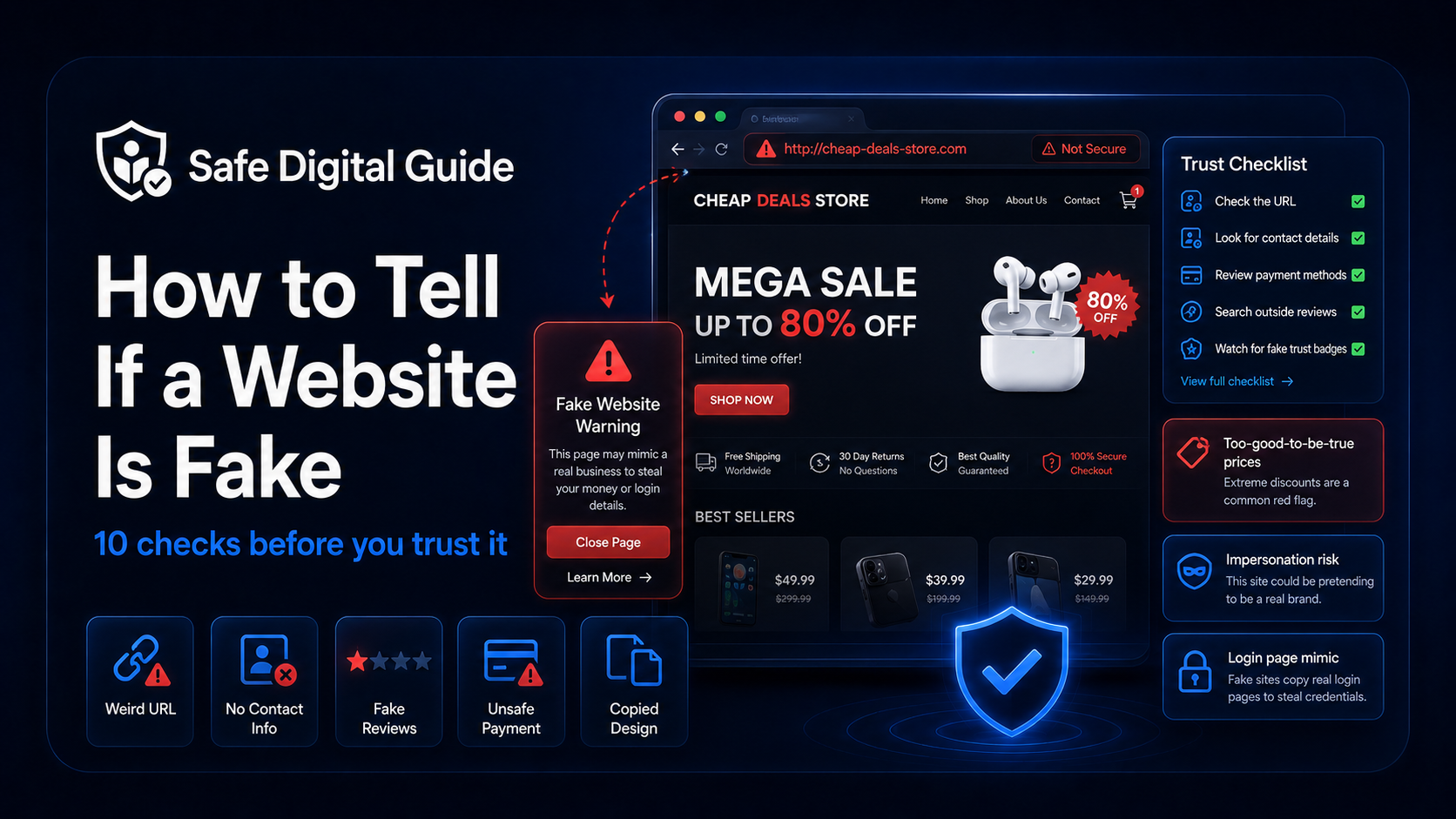
You can tell if a website is fake by checking the URL, looking for missing contact details, reviewing payment methods, searching for outside reviews, checking for unrealistic prices, avoiding fake trust badges, and never entering passwords on suspicious login pages.
Simple rule
If a website pressures you to act fast, asks for sensitive information, offers unrealistic deals, or has a strange URL, stop and verify it before doing anything.
If you already entered card details on a suspicious website, read our guide on what to do if you gave card details to scam website.
Fake Website Checklist
Use this checklist whenever you are unsure whether a website is real, safe, or trustworthy.
1. Check the Website URL Carefully
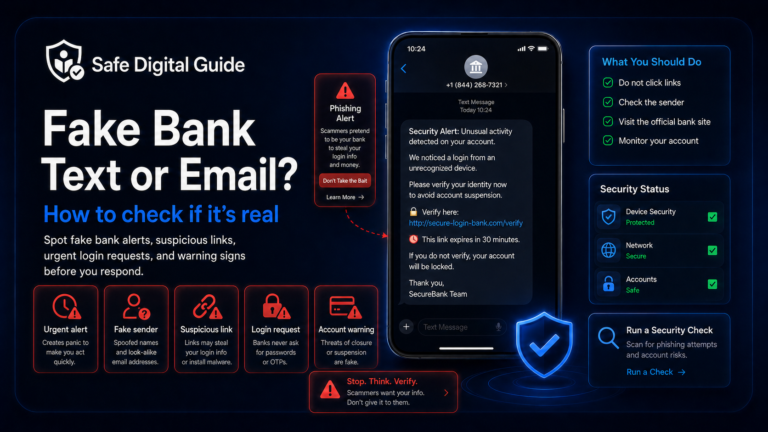
The URL is one of the first things to check when learning how to tell if a website is fake. Scam websites often use addresses that look similar to real brands but contain small changes.
Suspicious URL signs
- Misspelled brand names.
- Extra words before or after the brand name.
- Strange domain endings.
- Random numbers or characters.
- Shortened links hiding the real destination.
Safer habits
- Type the official website address yourself.
- Use saved bookmarks for important accounts.
- Open the official app instead of clicking links.
- Search the company separately.
- Check the domain before logging in or paying.
A fake website may use a URL that looks almost correct at first glance. Always slow down and read the full address before trusting the page.
2. Look for Missing Contact Details
Real businesses usually make it possible to contact them. Fake websites often hide who is behind the site or provide vague, copied, or incomplete information.
Missing contact information does not automatically prove a site is fake, but it is a serious warning sign when combined with other suspicious details.
3. Be Careful With Unrealistic Prices
Fake shopping websites often attract people with prices that are far lower than normal. The goal is to make you focus on the deal instead of checking whether the website is safe.
Too good to be true
If an expensive product is being sold at a massive discount with no clear reason, treat the website as suspicious until you verify it.
Scam stores may advertise fake sales, fake clearance events, fake limited-time offers, or fake luxury products. Before paying, compare the price with trusted stores and search for independent reviews.
4. Check the Payment Methods
Payment methods can reveal whether a website is risky. Fake websites often push payment options that are hard to reverse or trace.
High-risk payment methods
- Gift cards.
- Cryptocurrency.
- Bank transfers to unknown sellers.
- Friends-and-family payments.
- Payment outside the official platform.
Safer payment habits
- Use trusted checkout systems.
- Keep payments inside official platforms.
- Check buyer protection rules.
- Avoid sellers who rush you.
- Do not send money to unlock a prize or refund.
If a website only accepts unusual payment methods, that is a major warning sign. For card-related emergencies, see Gave Card Details to Scam Website? 7 Urgent Steps.
5. Search for Reviews Outside the Website
Fake websites can create fake reviews on their own pages. Do not trust reviews only because they appear on the website itself.
Search the website name separately with words like:
- “scam”
- “reviews”
- “complaints”
- “is it legit”
- “fake website”
Review tip
Look for patterns. One bad review does not prove a website is fake, but repeated complaints about missing orders, stolen card details, fake tracking numbers, or no refunds are serious warnings.
6. Watch for Fake Trust Badges
Some scam websites show security badges, payment logos, review stars, or “verified” seals to look trustworthy. These badges can be copied images with no real meaning.
Real security is not proven by a badge alone. A fake website can copy logos from payment companies, antivirus brands, delivery companies, or review platforms.
7. Check the Design, Grammar, and Broken Pages
Some fake websites are poorly built, while others look polished. Still, design problems can help you identify a risky site.
A professional design does not guarantee safety, but a site full of broken pages and vague text should not be trusted with personal or payment information.
8. Be Careful With Fake Login Pages
A fake website may copy the login page of a real service. This is common in phishing attacks where scammers try to steal your email, bank, shopping, or social media password.
Never log in from suspicious links
If you clicked a link from an unexpected email, text message, ad, or pop-up, do not enter your password. Open the official website or app yourself.
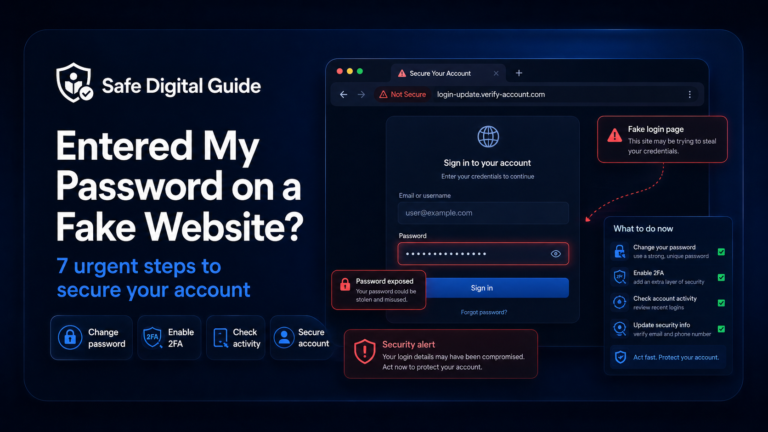
If you already entered your password on a fake page, follow this guide: Entered My Password on a Fake Website? 7 Urgent Steps.
9. Check Whether the Website Uses Pressure Tactics
Pressure is one of the most common scam tactics. A fake website may try to make you act quickly before you have time to think.
- “Only 2 left in stock.”
- “Offer expires in 5 minutes.”
- “Your account will be closed today.”
- “Pay now to avoid suspension.”
- “Claim your prize before it disappears.”
Real websites can use sales timers too, but fake websites often combine urgency with suspicious URLs, unrealistic prices, and unsafe payment requests.
10. Trust Your Instinct and Verify Separately
If something feels wrong, pause. A key part of knowing how to tell if a website is fake is learning to verify the website without using the suspicious link.
Stop
Do not enter passwords, payment details, personal information, or verification codes.
Check the URL
Look carefully at the domain, spelling, and full website address.
Search separately
Search for the company, reviews, scam reports, and official website manually.
Use official channels
Open the real website or app directly instead of trusting a link from a message or ad.
What to Do If You Already Used a Fake Website
If you already clicked, logged in, paid, or entered information on a fake website, your next steps depend on what you shared.
If you entered payment details
- Contact your bank or card provider immediately.
- Freeze or replace the card if needed.
- Check recent and pending transactions.
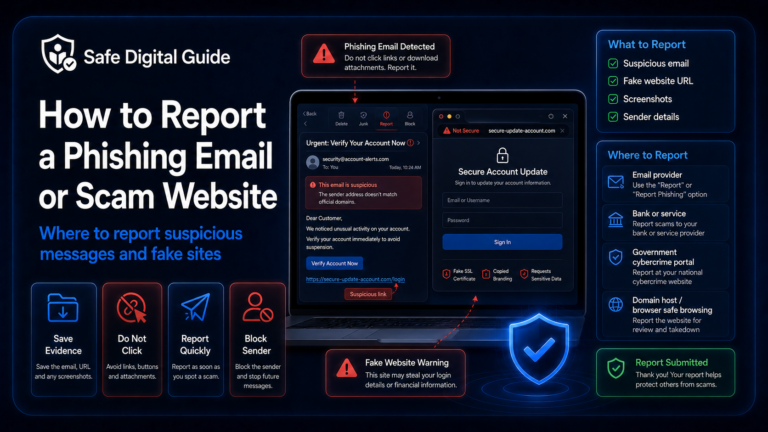
- Save evidence of the fake website.
If you entered login details
- Change your password from the official website or app.
- Enable two-factor authentication.
- Check recent account activity.
- Change the same password anywhere else you used it.
If you only clicked a suspicious link, read What to Do If You Clicked a Phishing Link. If you are worried about your phone, read Can a Phishing Link Hack My Phone?.
Related Guides
These guides can help you understand what to do next:
Helpful Official Resources
For more guidance, review scam advice from the FTC, phishing guidance from CISA, and online safety advice from the NCSC.
Frequently Asked Questions
How to tell if a website is fake?
Check the URL, contact details, payment methods, outside reviews, prices, trust badges, login pages, grammar, policies, and pressure tactics. If several signs look suspicious, do not trust the website.
Can a fake website look professional?
Yes. Fake websites can copy logos, layouts, product pages, login screens, and checkout designs. A professional appearance does not prove a website is safe.
Is a website safe if it has HTTPS?
HTTPS means the connection is encrypted, but it does not prove the website is legitimate. Scam websites can also use HTTPS.
What is the biggest warning sign of a fake website?
One of the biggest warning signs is a strange or misspelled URL combined with urgent pressure, unrealistic prices, missing contact details, or suspicious payment methods.
What should I do if I bought something from a fake website?
Contact your bank or payment provider immediately, check your transactions, save evidence, and monitor your account. If you created an account, change any reused passwords.
What should I do if I logged in on a fake website?
Change your password from the official website or app, enable two-factor authentication, check recent activity, and change that password anywhere else you used it.
Knowing how to tell if a website is fake can protect your money, accounts, and personal information before a scam causes real damage.
Final Safety Note
The safest way to avoid fake websites is to slow down before you trust them. Check the URL, contact details, prices, payment methods, reviews, login page, and pressure tactics before entering sensitive information.
Remember: if a website feels rushed, strange, or too good to be true, verify it separately before you click, pay, log in, or download anything.